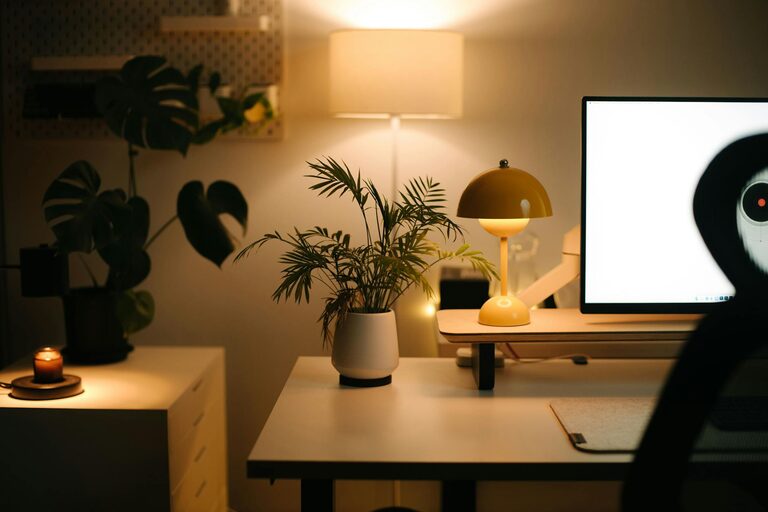

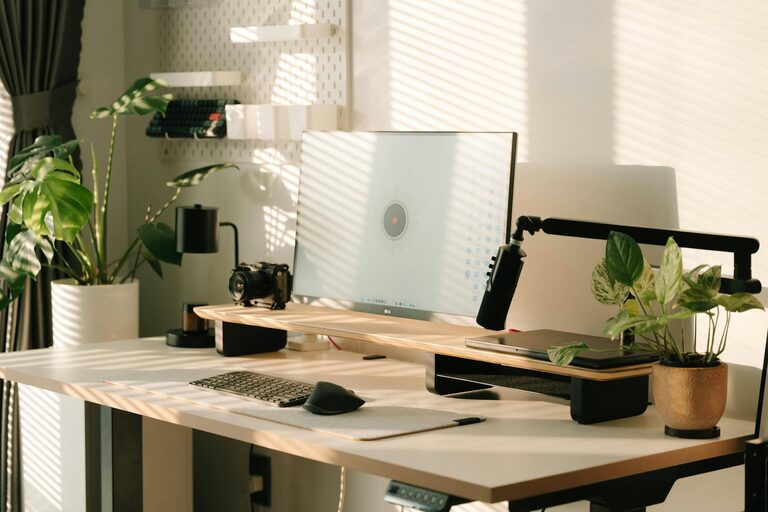
Creating a home office that is both cozy and productive can greatly enhance your work-from-home experience. When your workspace feels inviting and is designed with focus in mind, it’s easier to stay motivated and manage your tasks efficiently. In this post, we’ll share helpful tips to design a home office that balances comfort and functionality.
Choose the Ideal Location
Selecting the right spot for your home office is essential. Ideally, pick a quiet area with minimal foot traffic and distractions. Some good options include:
– A spare room dedicated solely to work
– A quiet corner in the living room or bedroom
– Near a window for natural light
If a separate room isn’t available, try to create a distinct boundary that separates your work area from the rest of your living space.
Prioritize Comfortable and Ergonomic Furniture
Comfort is key for staying productive, especially if you spend long hours at your desk. Invest in:
– Ergonomic chair: Supports good posture, adjustable height, and armrests
– Desk at the right height: Allows your forearms to be parallel to the floor
– Footrest: Improves circulation and comfort when sitting for extended periods
Adjusting your workspace to fit your body helps prevent discomfort and fatigue.
Maximize Natural Light and Add Proper Lighting
Natural light can boost your mood and focus. Position your desk near windows if possible to enjoy sunlight throughout the day. When natural light is limited:
– Use bright, cool white bulbs to mimic daylight
– Add a desk lamp with adjustable brightness and direction
– Consider soft ambient lighting to reduce eye strain at night
Keep It Organized and Clutter-Free
An organized workspace helps you stay focused and makes it easier to find what you need. Tips for maintaining order include:
– Use storage solutions like shelves, drawers, and file organizers
– Declutter regularly by removing unnecessary items
– Keep everyday essentials within arm’s reach
– Use cable management tools for cords and chargers
Minimal clutter creates a calm environment that supports productivity.
Personalize Your Space
Adding personal touches can make your office feel cozy and motivating. Ideas include:
– Displaying photos or art that inspire you
– Incorporating plants for a bit of greenery and freshness
– Using colors and décor that you find calming or energizing
– Adding cozy textiles like a soft rug or throw blanket
Personalizations make your workspace inviting and reflect your personality.
Minimize Noise and Distractions
Maintaining focus is easier in a quiet environment. Consider these strategies:
– Use noise-canceling headphones or white noise machines
– Set boundaries with family members or housemates during work hours
– Close doors or use room dividers to create a sound barrier
Limiting interruptions helps maintain your workflow.
Incorporate Technology Wisely
Technology can either enhance or hinder your productivity. Keep these points in mind:
– Invest in reliable internet and quality equipment (laptop, microphone, webcam)
– Use apps and tools for task management, note-taking, and communication
– Avoid unnecessary gadgets that may distract you
A streamlined tech setup supports efficiency and ease of use.
Take Regular Breaks and Move Around
Even in a cozy home office, sitting too long can affect well-being and concentration. Be sure to:
– Take short breaks every hour to stretch or walk
– Consider a sit-stand desk or balance ball chair occasionally
– Use break time to hydrate and rest your eyes from screens
Moving regularly keeps your mind sharp and body comfortable.
Final Thoughts
Designing a home office that feels both cozy and productive is achievable with thoughtful planning. Focus on creating a space that supports comfort, minimizes distractions, and reflects your style. With the right setup, you’ll enjoy a pleasant work environment that helps you stay motivated and succeed in your goals.